

/compliance-rosette-check.svg)









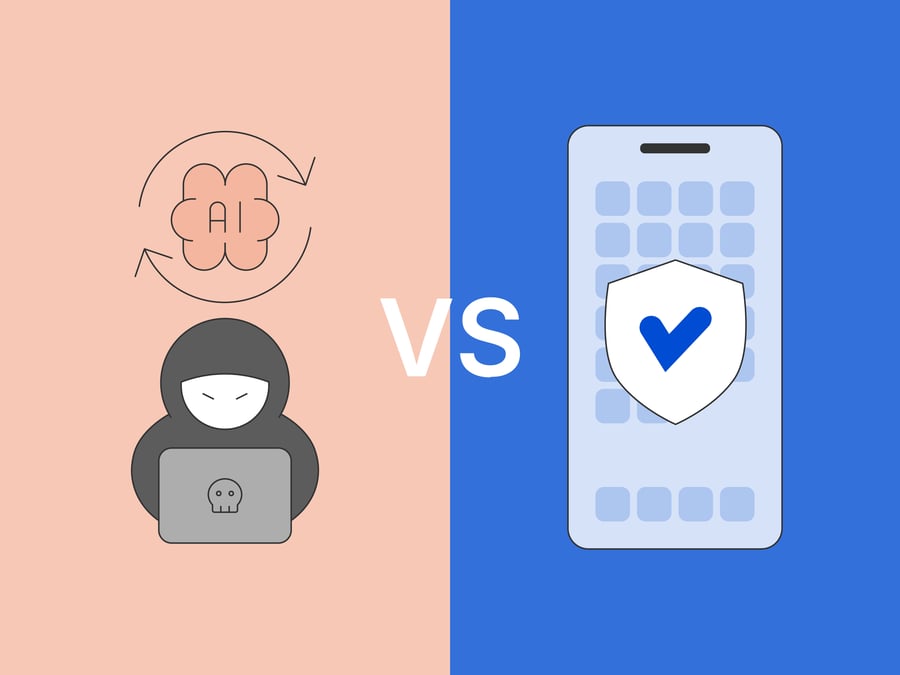
AI has changed the economics and scale of mobile app attacks
AI-powered mobile app attacks don’t need to create new threat categories. AI can reduce the time, skill, and cost needed to inspect, modify, and exploit mobile apps. That changes the economics of existing attacks. Tasks that once required specialist reverse-engineering knowledge can now be supported by AI-assisted code analysis, script generation, exploit research, malware development, and attack automation.
For mobile app security teams, this is a practical problem. A mobile app is released into an environment the business doesn't control. Attackers can download it, decompile it, run it on compromised devices, attach debugging tools, inspect runtime behavior, modify logic, or repackage the app.
AI makes that workflow faster.
What boarder attack data shows
IBM’s 2026 X-Force Threat Intelligence Index revealed a 44% increase in attacks that began with the exploitation of public-facing applications. IBM links this increase largely to missing authentication controls and AI-enabled vulnerability discovery.[1]
Attackers are using AI to speed research, analyze large data sets, and iterate on attack paths in real time. Once an app is live, attackers can start working on it quickly.
Learn more: Application shielding
The relevance of app shielding to AI attacks
App shielding can't fix every security issue. It will not repair weak backend authorization, insecure APIs, poor cryptographic design, or vulnerable AI-generated code. But it can make mobile apps more resilient in hostile environments. It can raise attacker effort, protect sensitive client-side assets, and help detect tampering, debugging, hooking, repackaging, and runtime manipulation.
A more useful question for development teams is: where does app shielding reduce the risk created by AI-assisted attackers, and where does secure design still need to do the work?
AI is changing mobile app security by speeding up attacker workflows
AI is useful to attackers for the same reasons it has proved useful to developers. It accelerates work.
A developer might use AI to explain unfamiliar code, generate test cases, write boilerplate, or troubleshoot a build issue. An attacker can use similar capabilities to understand application logic, generate scripts, automate repeated steps, summarize decompiled code, search for weak patterns, or draft an attack plan.
Learn more: Increased automation in attacks
AI still makes mistakes, whoever is using it. This is one reason why attackers can’t simply press a button and break a well-protected app. AI can hallucinate and miss context. It can struggle with complex protection patterns. But attackers don't need AI to be perfect, only to save them manual work.
Google’s Threat Intelligence Group has reported a shift from early AI-enabled experimentation toward more industrial use of generative models in adversarial workflows.[2] That includes vulnerability research, exploit development, malware generation, social engineering, and autonomous execution.
This concerns mobile apps because the client is exposed by design. The app binary, local assets, runtime behavior, and device environment are all within reach of the attacker. AI can help them move from “What does this app do?” to “Where is the weak point?” much faster.
.jpg?width=6250&height=2083&name=ai%20compresses%20the%20normal%20mobile%20attack%20workflow%20(1).jpg)
AI doesn’t need new attack paths. It helps attackers move faster through familiar mobile attack steps, and makes the attack easier to scale.
What AI can help attackers do to mobile apps
AI-assisted attacks usually follow known mobile attack paths.
AI-assisted reverse engineering
Mobile app reverse engineering starts with understanding the app.
-
Attackers want to know how the app handles authentication, licensing, payments, API calls, device checks, data storage, cryptography, feature flags, and security controls.
-
AI can help by summarizing decompiled code, explaining unfamiliar functions, mapping call flows, comparing app versions, or generating hypotheses about where sensitive logic lives.
Research into LLM-assisted deobfuscation co-authored by Promon's security team found that commercial models can help with some reverse-engineering tasks.[3] It also found that more sophisticated combined obfuscation techniques can still cause broad failure.
AI can lower the expertise barrier for reverse engineering. Strong protection still matters because it increases uncertainty, slows analysis, and forces attackers into more manual work.
Read more: App Threat Report 2026 Q1: The State of Code Obfuscation Against AI
Faster vulnerability discovery
AI can also help attackers look for weak coding patterns and business logic mistakes.
In a mobile app, that might include unsafe local storage, hardcoded credentials and secrets, weak certificate handling, client-side trust decisions, exposed endpoints, or checks that should have happened on the server. AI can help analyze code paths, suggest test cases, or generate scripts to probe behavior.
Veracode’s 2025 GenAI Code Security Report found that AI-generated code introduced security flaws in 45% of tested tasks across more than 100 large language models.[4] That finding isn't mobile-specific, but it matters for mobile teams using AI-assisted development.
If AI helps teams ship insecure code faster, shielding can't undo that. Weak authorization, poor backend validation, and bad cryptographic design still need fixing at the source.
Runtime tampering and instrumentation
Attackers don't always need to exploit code to create damage. They may try to change how the app behaves at runtime. This can include hooking functions, bypassing checks, changing return values, manipulating flows, disabling protections, or using instrumentation frameworks to inspect and alter behavior while the app is running.
AI can help attackers generate scripts, automate repeated tests, explain errors, adapt tooling, and move faster through trial and error.
Runtime protection can help detect debugging, hooking, instrumentation, emulator use, root or jailbreak conditions, and tampering attempts. The app can then respond based on risk, such as blocking the session, degrading functionality, alerting a backend, or triggering further verification.
The aim is to make attacks harder, slower, and easier to detect.
Read more: The future of on-device GenAI: Why mobile app security must protect at runtime
Adaptive Android malware
AI is also starting to appear inside mobile malware workflows.
In 2026, ESET researchers reported PromptSpy, which they described as the first known Android malware to use generative AI in its execution flow.[5] The malware used Google’s Gemini to interpret on-screen elements and generate dynamic instructions for UI manipulation. ESET noted that the GenAI component was used in a limited part of the malware, focused on persistence, but that it improved the malware’s ability to adapt across devices, layouts, and Android versions.
We should handle this example carefully. ESET said PromptSpy hadn't been observed in its telemetry and may have been a proof of concept. It was also not distributed through Google Play. Even so, it shows that mobile malware can become more adaptive when it uses AI to interpret device states and guide actions.
App shielding can't clean a compromised device. It can't stop every social engineering flow or every abuse of Android Accessibility Services. But it can help the protected app understand when it's running in a risky environment and respond accordingly.
Analysis of embedded AI assets
More mobile apps are starting to include AI-related assets on the client side. That may include local models, prompts, configuration, business logic, decision rules, or inference flows. If those assets matter to the business, attackers will try to inspect, extract, modify, or replay them.
AI can help here too, by explaining model-adjacent logic, summarizing configuration, identifying valuable assets, or helping attackers understand how local AI features interact with backend services.
But not every AI asset belongs in the app. Some should stay server-side, and some secrets shouldn't be there at all.
For the assets that do need to run locally, app shielding can help protect them against reverse engineering, tampering, and extraction.
Read more: Emerging threats in mobile AI: What businesses need to know
Where app shielding helps
Application shielding protects mobile apps in the environments where they run. Mobile apps operate outside the company perimeter. The device may be rooted or jailbroken, he app may be running in an emulator, a debugger or hooking framework may be attached, and the binary may be modified or repackaged.
App shielding gives the app a way to defend itself there, bringing together controls that help protect the app against reverse engineering, tampering, instrumentation, and risky runtime conditions.
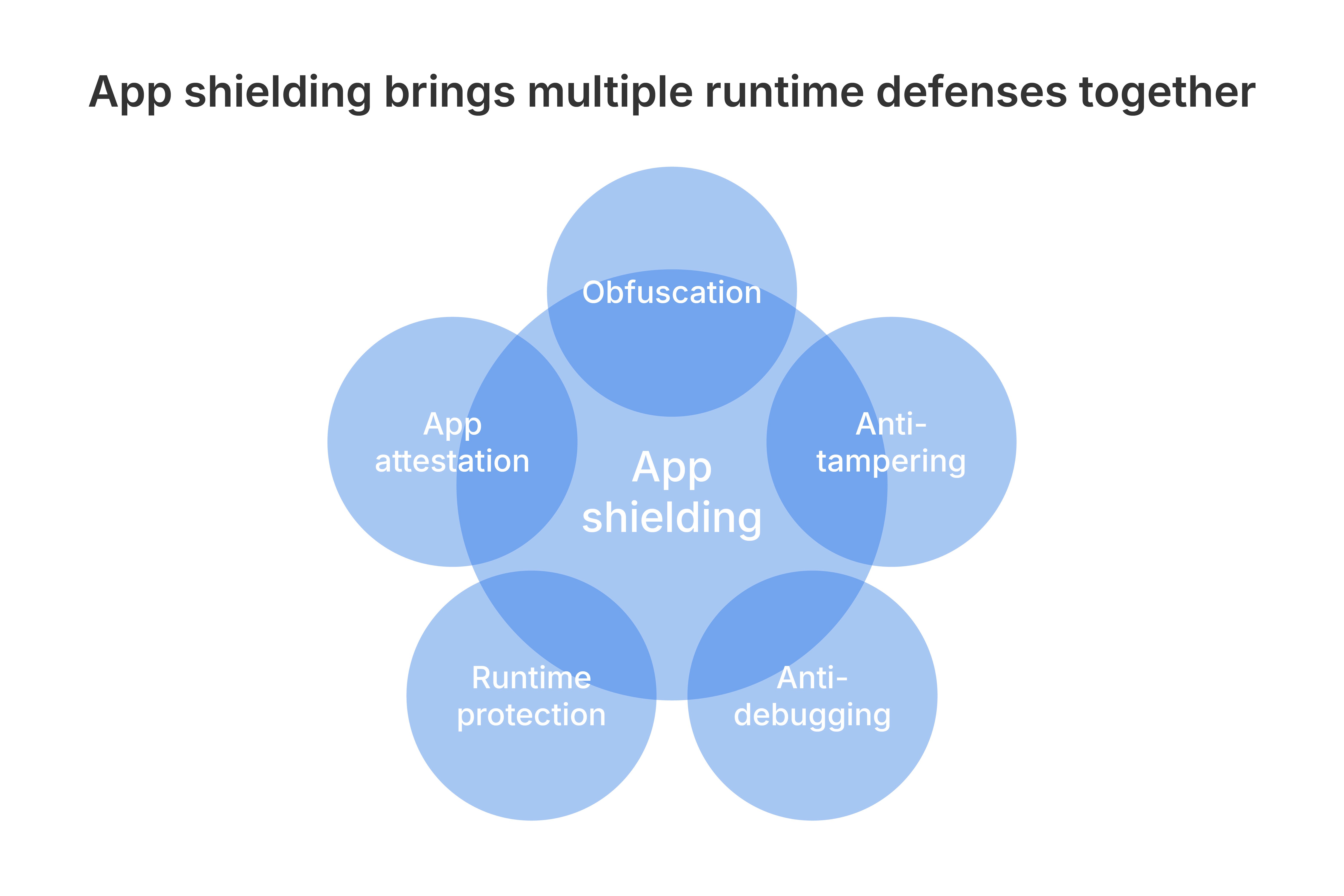
For Promon, this protection is post-compile and embedded in the app. It's designed to protect the app without requiring source code access or adding friction to the development pipeline. It works inside the app, close to the logic, assets, and runtime behavior attackers want to manipulate.
App shielding can help by:
-
making reverse engineering harder through code and asset protection
-
detecting debugging, hooking, and instrumentation attempts
-
detecting tampering, repackaging, and integrity changes
-
identifying risky environments such as root, jailbreak, or emulator conditions
-
protecting sensitive in-app logic, configuration, and AI-related assets
-
supporting app attestation so backend services can assess whether requests come from a genuine, uncompromised app instance
-
enabling risk-based responses when the app is under attack
AI can help attackers move faster. Shielding can force them to slow down.
Where app shielding can't help alone
Being clear about these limits helps teams decide where each control belongs. App shielding can't:
-
fix an API that accepts unauthorized requests
-
correct broken server-side access control
-
repair unsafe cryptography
-
make a hardcoded production secret safe simply because it's harder to find
-
solve prompt injection against a hosted AI model
-
decide whether a user, document, or transaction is fraudulent
If AI-assisted development introduces insecure logic, the fix belongs in the development process. Teams still need secure coding practices, code review, software composition analysis, testing, threat modeling, and server-side validation.
This is especially important for mobile apps. The client should be treated as exposed and potentially hostile. Sensitive decisions should be enforced server-side. Client-side checks can support security and user experience, but they shouldn't be the only line of defense for high-risk actions.
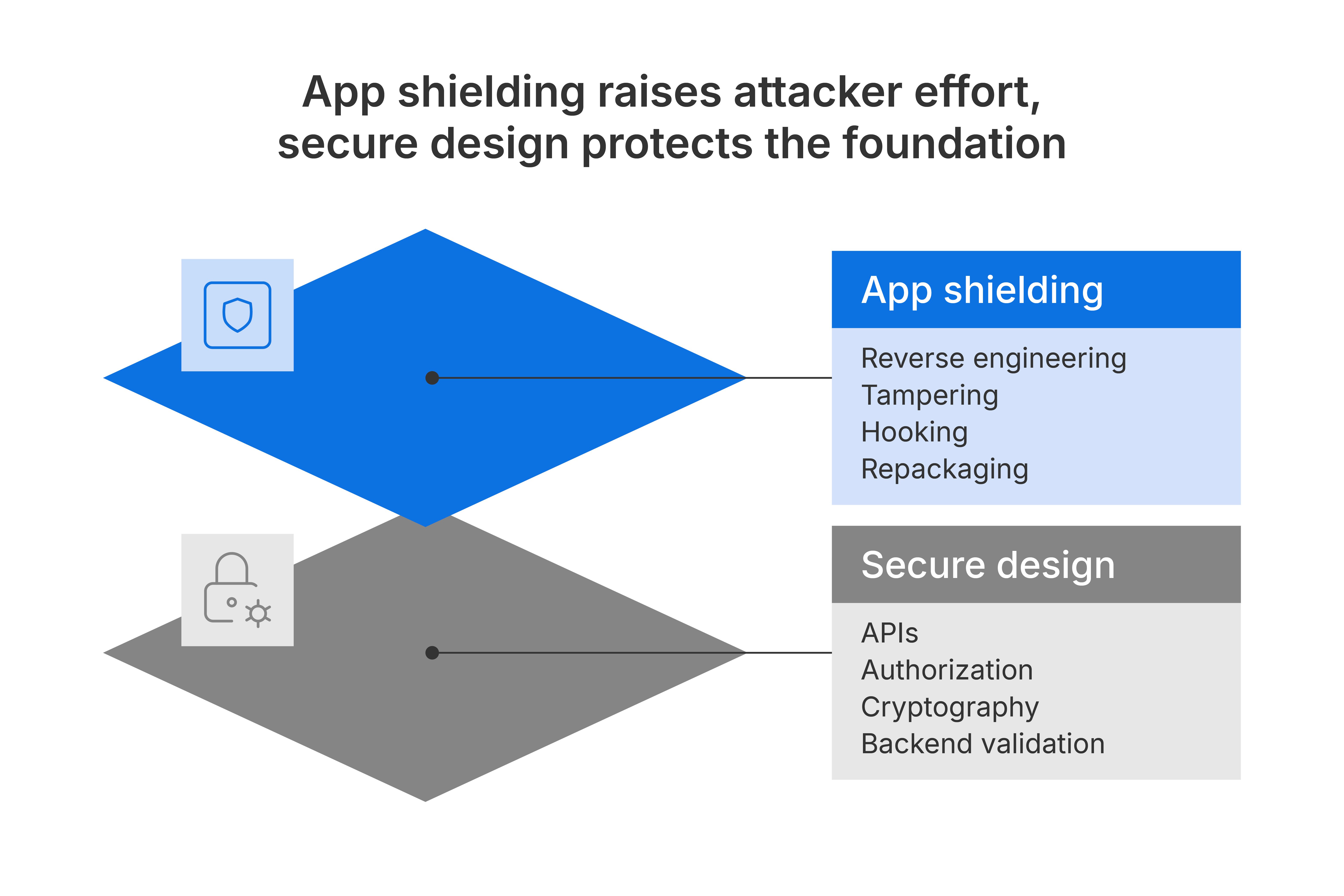
The strongest mobile security model combines runtime protection with secure architecture.
OWASP MASVS-Resilience gives the clearest boundary
OWASP MASVS-RESILIENCE gives security teams a useful way to frame this boundary.
OWASP describes resilience controls such as code obfuscation, anti-debugging, anti-tampering, and runtime application self-protection (RASP) as defense-in-depth measures.[6] These controls can increase an app’s resilience against reverse engineering and specific client-side attacks. They make it harder for attackers to modify code or extract sensitive information.
OWASP also makes the other side clear. Resilience controls are additional protection against threat-specific attacks. Apps still need the rest of the OWASP MASVS controls according to their threat model.[6]
In practice, shielding sits alongside secure code, strong APIs, server-side validation, cryptographic hygiene, dependency management, identity controls, fraud controls, and monitoring.
App shielding and AI-assisted attacks at a glance
The table below summarizes where shielding contributes most and where other controls are needed.
| AI-assisted attacker activity | Where app shielding helps | Where it cannot help alone |
| Reverse engineering app logic | Makes code, control flow, and assets harder to analyze; slows AI-assisted code understanding | Poor architecture or secrets that should never be client-side |
| De-obfuscation and code analysis | Increases complexity and uncertainty through layered protection | Cannot make weak logic secure |
| Vulnerability discovery | Reduces exposure of sensitive logic and raises the cost of analysis | Insecure APIs, broken authorization, vulnerable backend dependencies |
| Runtime tampering | Detects and responds to tampering, debugging, hooking, and instrumentation | Fraud or abuse performed through valid app flows |
| Repackaging and clone apps | Detects integrity changes and helps confirm the genuine app instance | App-store enforcement, brand takedowns, or user education |
| AI-assisted malware on the device | Helps identify risky runtime conditions and protect the app from manipulation | Full device compromise, social engineering, or abuse outside the protected app |
| Embedded AI asset extraction | Protects local models, prompts, configuration, and inference logic where they must exist in the app | Hosted AI risks, prompt injection, or assets that should stay server-side |
| AI-generated insecure code |
Can reduce exploitability in hostile runtime contexts | Cannot fix insecure coding, poor cryptography, weak APIs, or bad server-side design |
What security teams should do next
Start with the threat model. Identify what attackers can access once the app is released. Map the app logic, assets, secrets, AI components, APIs, and user flows that would matter most if an attacker could inspect or manipulate them.
Then separate the risks into two groups.
-
Decide what shouldn't be in the app at all. Production secrets, high-risk trust decisions, and sensitive authorization logic should stay server-side wherever possible.
-
Protect what must remain in the app. That includes business logic, security checks, configuration, local AI assets, and runtime behavior that attackers may try to analyze or change.
App shielding belongs in that second group.
It helps protect the app after release, when the binary is in the hands of anyone who downloads it, attackers included. It gives the app a defensive layer that travels with it.
For mobile teams, the next step is to assess whether the app can answer a few direct questions:
-
Can we detect if the app has been modified or repackaged?
-
Can we detect runtime tampering, hooking, debugging, and instrumentation?
-
Can we protect sensitive logic and assets inside the app?
-
Can our backend assess whether requests come from a genuine app instance?
-
Can we respond differently when the app is running in a risky environment?
-
Do we know which risks belong in shielding, and which belong in secure architecture?
Read more: From framework to action: A new roadmap for securing AI in mobile apps
Build resilience against AI-assisted mobile app attacks
AI speeds up every stage of an attack, and that makes mobile app protection more important.
The right response is layered: secure code, strong APIs, server-side validation, careful handling of secrets, sound AI design, runtime protection, app attestation, monitoring, and clear response paths.
App shielding is only one part of that model, but it's critical for mobile apps because the app runs outside your control.
Promon helps security and development teams protect mobile apps with post-compile, embedded in-app protection. It raises the effort required to reverse engineer, tamper with, repackage, instrument, or manipulate the app at runtime, while keeping protection practical for development teams and invisible to legitimate users.
AI lowers attacker effort. App shielding raises it.
References
[1] IBM, 2026 X-Force Threat Intelligence Index: Making the case for securing identities, AI‑enhanced detection and proactive risk management, 25 February, 2026.
[2] Google Cloud Threat Intelligence Group, GTIG AI Threat Tracker: Adversaries Leverage AI for Vulnerability Exploitation, Augmented Operations, and Initial Access, 11 May, 2026.
[3] Anton Tkachenko, Dmitrij Suskevic, Benjamin Adolphi, Deconstructing Obfuscation: A four-dimensional framework for evaluating Large Language Models assembly code deobfuscation capabilities, arXiv, 2025.
[4] Veracode, 2025 GenAI Code Security Report: Assessing the Security of Using LLMs for Coding.
[5] ESET Research, PromptSpy ushers in the era of Android threats using GenAI, 19 Feb, 2026
[6] OWASP, MASVS-RESILIENCE: Resilience Against Reverse Engineering and Tampering.